

Analytics
Your own usage over time, the organization-wide Team analytics view, and who can see each one.
Analytics tracks activity on the account — documents reviewed, credits spent, and how you have used specific features — over a time window you choose.
Who can see it
Analytics is open to every role except billing_admin, whose access is scoped to billing rather than usage. Two tabs sit inside it, and they are not both open to everyone:
- My usage — your own activity. Anyone who can reach Analytics sees this tab.
- Team analytics — the organization-wide view: team totals, the per-member breakdown, and export. Restricted to an organization or Enterprise admin. Everyone else does not see the tab at all, rather than an empty or zeroed one.
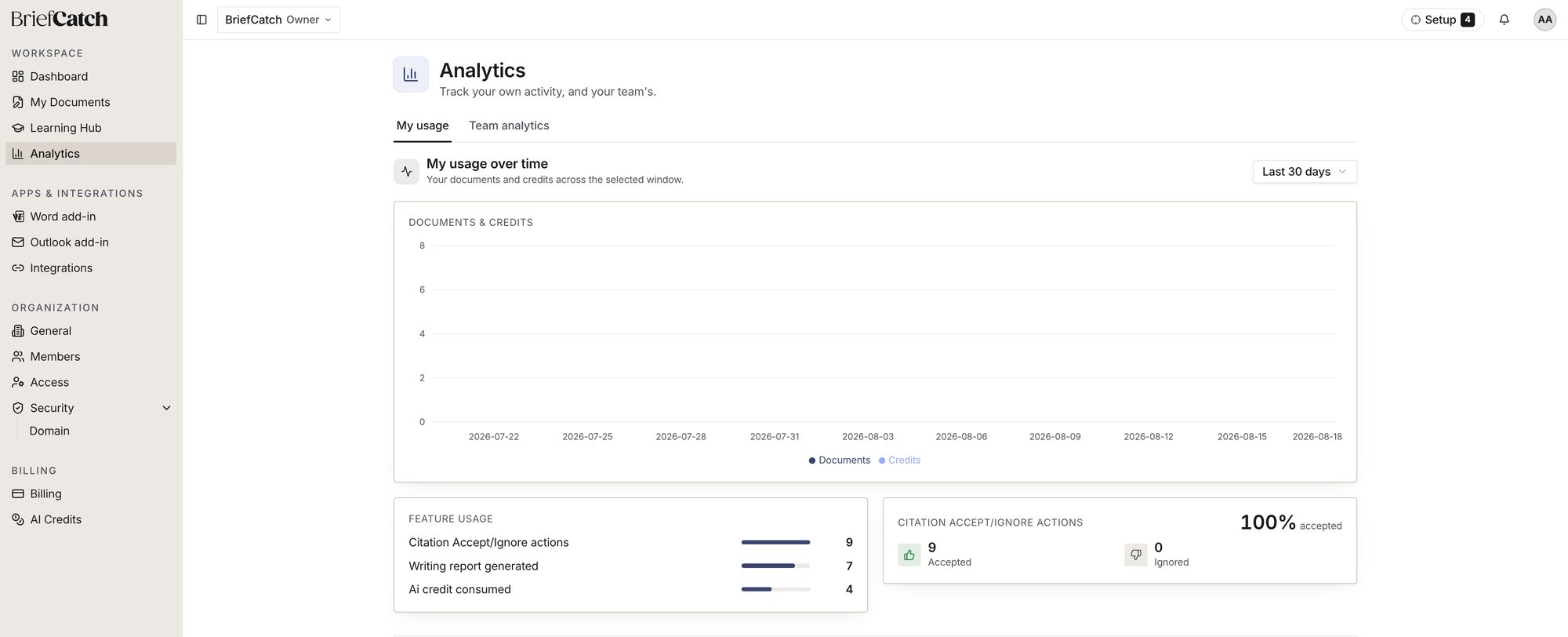
What is on the page
- Usage over time — a chart of documents and credits across the selected window (7, 30, or 90 days).
- Feature usage — counts for the things you did most: citation accept/ignore actions, writing reports generated, and credits consumed.
- Citation accept/ignore — the split between suggestions you accepted and ones you ignored, as a percentage.
An admin’s Team analytics tab adds the same shape of data rolled up across every member, plus a per-member table and the period selector for the whole team’s window rather than just your own.
Related
- Learning Hub — course completion has its own, separate Analytics tab
- Usage and credits — the credit ledger and what actually spends a credit
- Roles and permissions — why Team analytics might be missing